JavaScript2025
Digital Counter
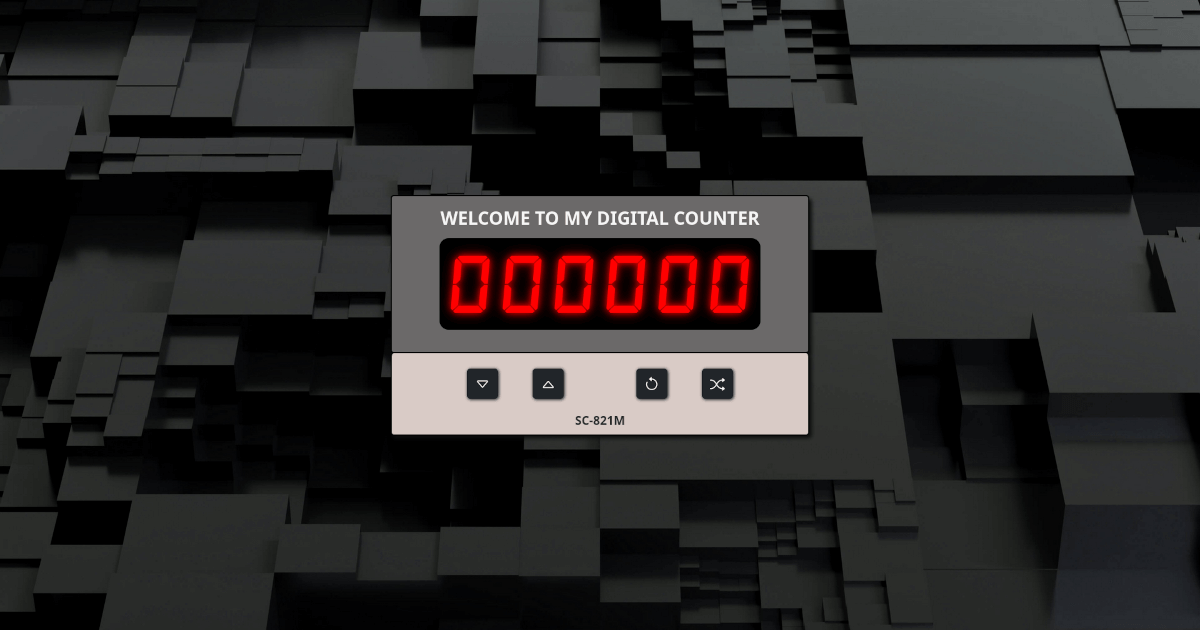
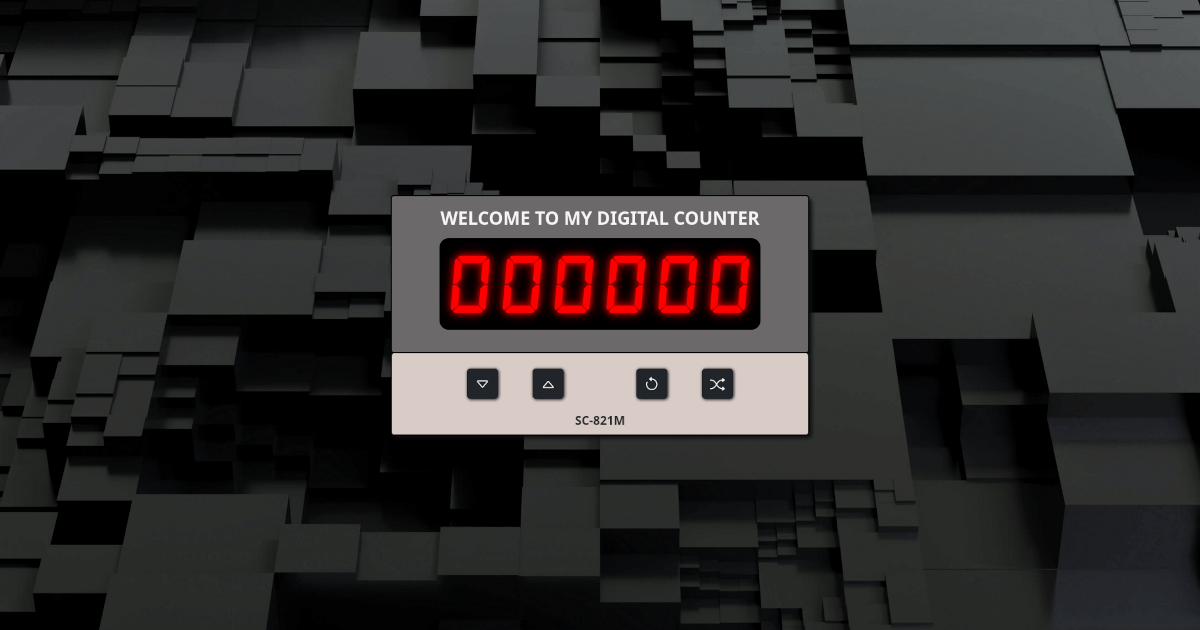
Contatore digitale con display LED vintage e sfondo 3D generativo. Animazioni CSS avanzate, interfaccia retro e controlli intuitivi.
JavaScriptCSS 3DAnimazioni
🔢 Digital Counter
An advanced, responsive digital counter web application built with modern JavaScript, Bootstrap 5, and custom CSS styling.
✨ Features
- Interactive Digital Display - 6-digit LED-style counter with red glow effect
- Multiple Controls - Increment, decrement, reset, and random number generation
- Responsive Design - Optimized for mobile, tablet, and desktop devices
- Modern UI - Bootstrap 5 with custom metallic gradient backgrounds
- Touch Support - Full touch event handling for mobile devices
- Custom Typography - DSEG7Classic font for authentic digital display
- Alert System - User feedback for boundary conditions (min/max values)
- Smooth Animations - CSS transitions and Bootstrap fade effects
🚀 Demo
🛠️ Technologies Used
- HTML5 - Semantic markup structure
- CSS3 - Custom styling with gradients, shadows, and responsive design
- JavaScript ES6+ - Modern vanilla JavaScript with arrow functions and const/let
- Bootstrap 5.3.8 - UI framework for responsive components
- Bootstrap Icons - Vector icons for buttons
- DSEG7Classic Font - Custom digital display typography
📂 Project Structure
digital-counter/
├── src/
│   ├── assets/
│   │   ├── css/
│   │   │   └── style.css   # Custom styles and responsive design
│   │   ├── js/
│   │   │   └── script.js   # Application logic and interactivity
│   │   ├── img/            # Images and screenshots
│   │   └── fonts/          # Custom font files
│   └── ...
├── index.html          # Main HTML file
├── README.md
└── .gitignore
🎮 How to Use
- Increment: Click the up arrow (↑) to increase the counter
- Decrement: Click the down arrow (↓) to decrease the counter
- Reset: Click the reset icon (↻) to set counter to zero
- Random: Click the shuffle icon (🔀) to generate a random number
- Hold to Repeat: Hold increment/decrement buttons for continuous counting
Counter Limits
- Minimum: 0
- Maximum: 999,999
- Display: 6 digits with leading zeros
⚙️ Installation & Setup
Option 1: Direct Download
- Download or clone this repository
- Open
src/index.htmlin your web browser - No additional setup required!
Option 2: Local Development Server
# Clone the repository
git clone https://github.com/your-username/digital-counter.git

# Navigate to project directory
cd digital-counter

# Start a local server (Python example)
python -m http.server 8000

# Open browser to http://localhost:8000/
Option 3: GitHub Pages Deployment
- Fork this repository
- Go to repository Settings → Pages
- Select source branch (main/master)
- Your app will be available at
https://simonecamerano.github.io/digital-counter
📋 Browser Compatibility
- ✅ Chrome 90+
- ✅ Firefox 88+
- ✅ Safari 14+
- ✅ Edge 90+
- ✅ Mobile browsers (iOS Safari, Chrome Mobile)
🎨 Customization
Colors
Edit the CSS variables in src/assets/css/style.css:
/* Digital display color */
.number {
  color: rgb(255, 0, 0); /* Change to your preferred color */
  text-shadow: 0 0 10px #FF0000; /* Matching glow effect */
}

/* Container backgrounds */
.first-container {
  background: /* Your gradient here */;
}
Font
Replace the DSEG7Classic font by updating the @font-face declaration:
@font-face {
  font-family: '7segment';
  src: url(/src/assets/fonts/your-font.woff2) format('woff2');
}
Dimensions
Modify container sizes and responsive breakpoints in the CSS.
🔧 Development
Key JavaScript Functions
modNum()- Updates the digital displayshowAlert()- Displays user feedback messagesremoveAlert()- Clears existing alerts- Button event handlers for all interactions
CSS Features
- Flexbox layouts for responsive design
- CSS Grid for number arrangement
- Custom gradients for metallic effects
- Media queries for mobile optimization
- CSS clamp() for responsive typography
🤝 Contributing
- Fork the repository
- Create a feature branch (
git checkout -b feature/amazing-feature) - Commit your changes (
git commit -m 'Add amazing feature') - Push to the branch (
git push origin feature/amazing-feature) - Open a Pull Request
📝 License
This project is licensed under the MIT License - see the LICENSE file for details.
👤 Author
Simone
- GitHub: @simonecamerano
- Email: camerano.simo@gmail.com
🙏 Acknowledgments
- Bootstrap for the UI framework
- Bootstrap Icons for vector icons
- DSEG Font Family for the digital display font
- Start2Impact for project inspiration
📊 Project Stats
- Lines of Code: ~500
- File Size: < 100KB
- Load Time: < 1 second
- Lighthouse Score: 95+ (Performance, Accessibility, Best Practices, SEO)
⭐ If you found this project helpful, please give it a star!
🐛 Found a bug? Report it here
💡 Have a feature request? Let us know!